
Telegram
Connect a Telegram bot to EngageOne in minutes so customers can chat with your business on Telegram and your team replies from one inbox.
A Telegram inbox connects your Telegram bot to EngageOne, so customers can message your business on Telegram and your team answers from one place.
How it works
- You create a bot with Telegram's BotFather and get its bot token.
- You add the token to a Telegram inbox in EngageOne. EngageOne registers the bot's webhook with Telegram for you.
- A customer opens your bot and sends a message. A conversation opens with the customer's name, username and profile photo.
- Agents reply in EngageOne, and the bot delivers the reply in Telegram.
Set up
- In Telegram, open
@BotFatherand send/newbot. - Give the bot a display name and a username that ends in
bot. - Copy the bot token BotFather gives you.
- In EngageOne, go to Settings → Inboxes → Add Inbox → Telegram.
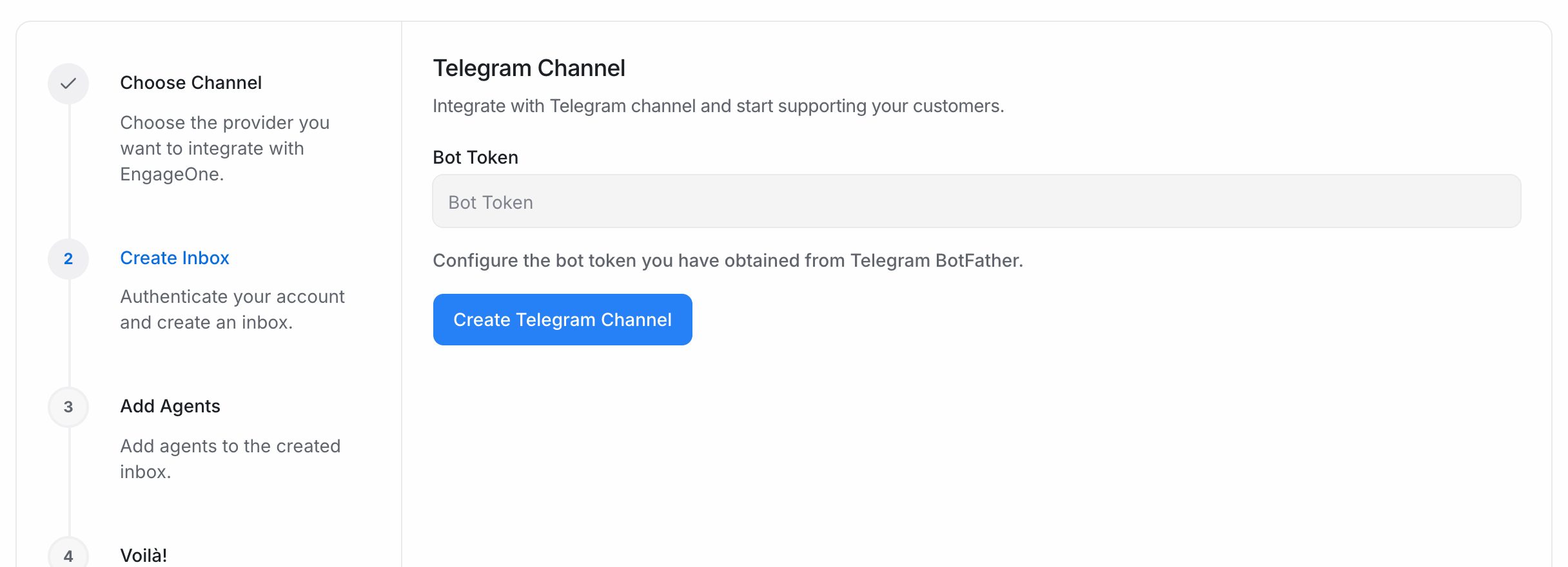
- Paste the token into Bot Token and select Create Telegram Channel.
- Pick the agents for this inbox and select Add agents.
- Scan the QR code on the last screen, or open your bot in Telegram. Press Start and send a test message.
- Reply from EngageOne and check that the reply arrives in Telegram.
Important: Keep the bot token private. Anyone with the token can control your bot.
What's supported
| Feature | Supported | Notes |
|---|---|---|
| Text messages | Yes | Both ways |
| Text formatting in replies | Yes | Bold, italic, links, code and more |
| Photos, videos and files | Yes | Both ways |
| Voice notes and audio | Yes | |
| Stickers | Incoming only | Shown as an image |
| Location and contact cards | Incoming only | |
| Replies to a specific message | Yes | The quoted message stays linked |
| Edited messages | Yes | The text updates when the customer edits it |
| Bot buttons | Yes | Options are shown as buttons. The customer's tap comes back as a message |
| Group chats and channels | No | Only private one-to-one chats are handled |
Good to know
- The customer must message your bot first. A bot can't start a chat with someone who never wrote to it.
- There's no reply window. You can reply at any time.
- Telegram doesn't share a customer's phone number unless they send a contact card.
- One bot token can be connected to only one inbox.
- A bot can have only one webhook. If another tool uses the same token, one of them stops receiving messages.
Troubleshooting
| Problem | Likely cause | Fix |
|---|---|---|
| The token is rejected when you create the inbox | The token is wrong, incomplete or revoked | Copy it again from @BotFather, or create a new one with /token |
| Messages stopped arriving | Another tool set its own webhook on the same token | Stop the other tool, then ask your EngageOne administrator to reconnect the bot |
| Group messages don't arrive | Group chats aren't supported | Ask the customer to message the bot directly |
| A reply shows as failed | Telegram rejected it, for example because the customer blocked the bot | Read the error on the message |